arrow_backAll guides
Guide 3
Custom HTML setup guide
Add CurbChat to a plain HTML site or custom framework using the same one-line embed.
Step 1
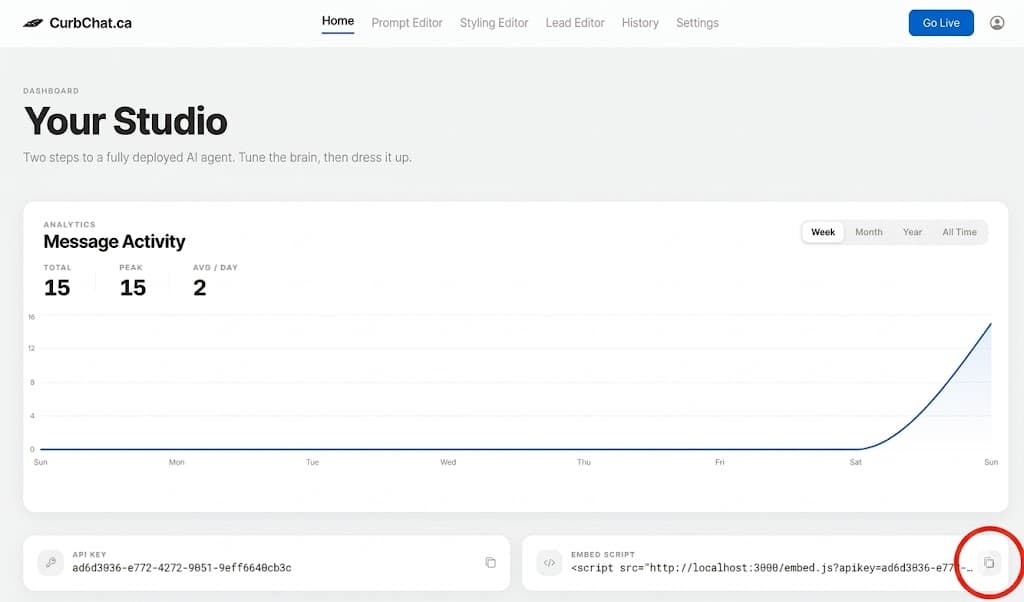
Copy the embed script from your CurbChat dashboard.
Step 2
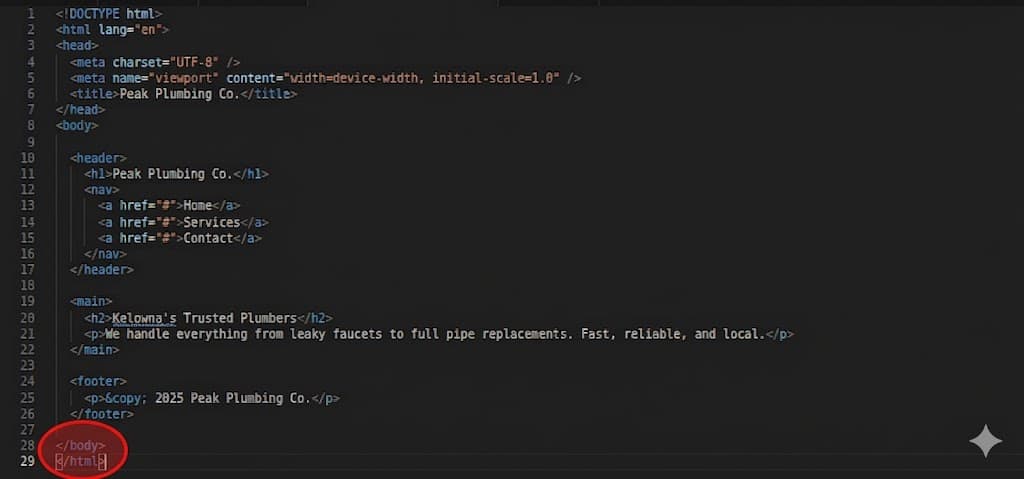
Open your HTML file in a text editor (or IDE for developers) and find the </body> tag.
Step 3
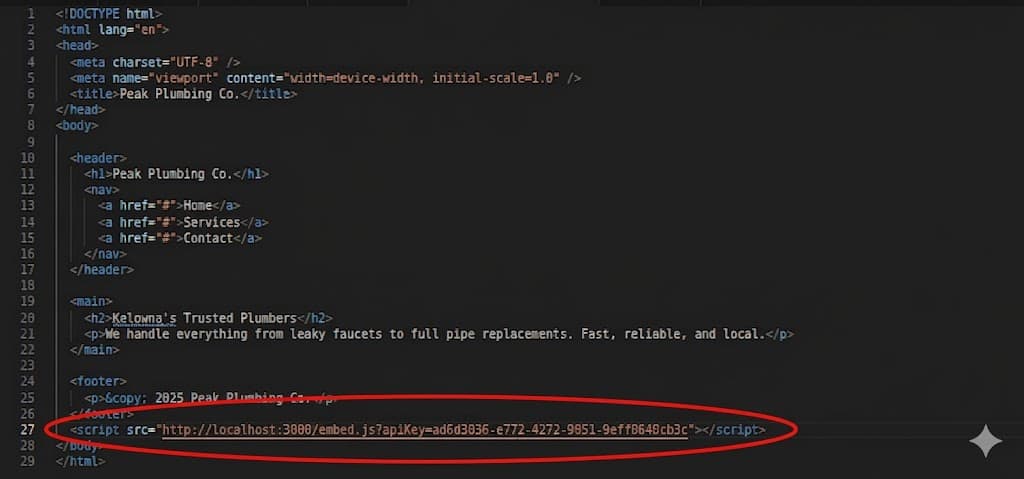
Paste the script right before the closing </body> tag.
Step 4
Save your changes and deploy where ever you host your website! ( if you need help with this step, feel free to contact me! )
arrow_backBack to all guidesGuide 3