arrow_backAll guides
Guide 1
Web3Forms setup guide
Connect Web3Forms so your CurbChat lead form submissions send directly to your inbox.
Step 1
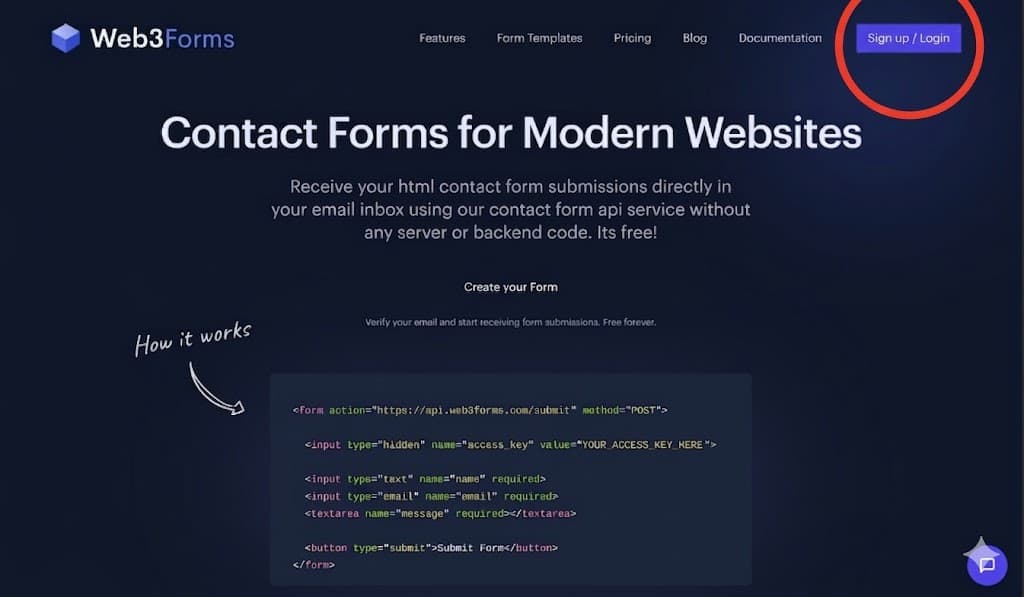
Go to web3forms.com and sign up
Head to web3forms.com and click "Sign up / Login" in the top right. You can use your email or Google account — it's completely free.
Step 2
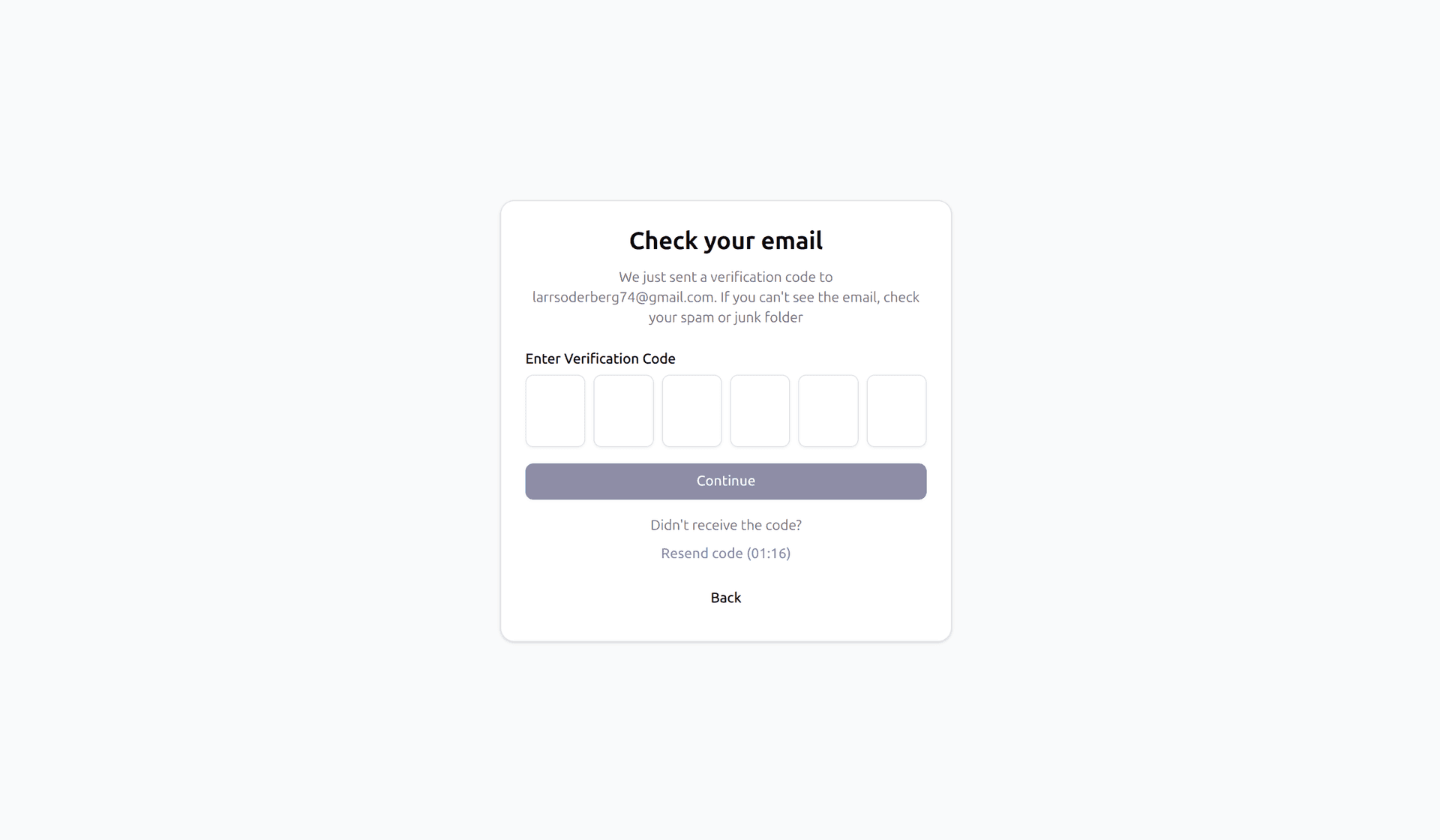
Verify your email
After entering your email, Web3Forms will send you a 6-digit verification code. Check your inbox — and if it's not there, check your spam or junk folder.
Step 3
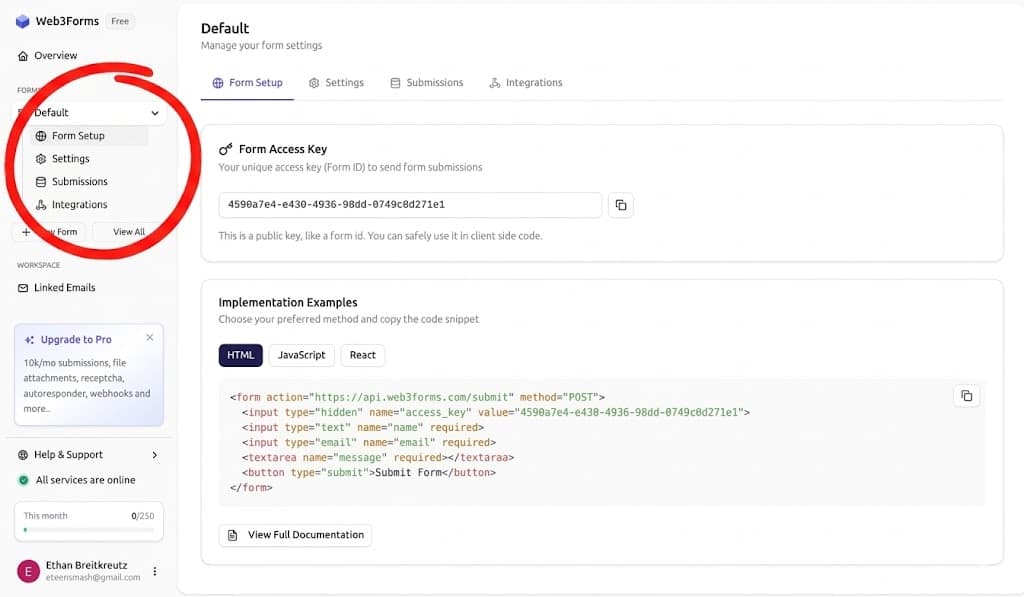
Copy your Form Access Key
Once logged in, look at the left sidebar and click "Form Setup". Your Form Access Key will be displayed — click the copy icon to copy it, then paste it in the lead editor dashboard.
arrow_backBack to all guidesGuide 1