arrow_backAll guides
Guide 2
WordPress setup guide
Install CurbChat on any WordPress site by adding one embed script.
Step 1
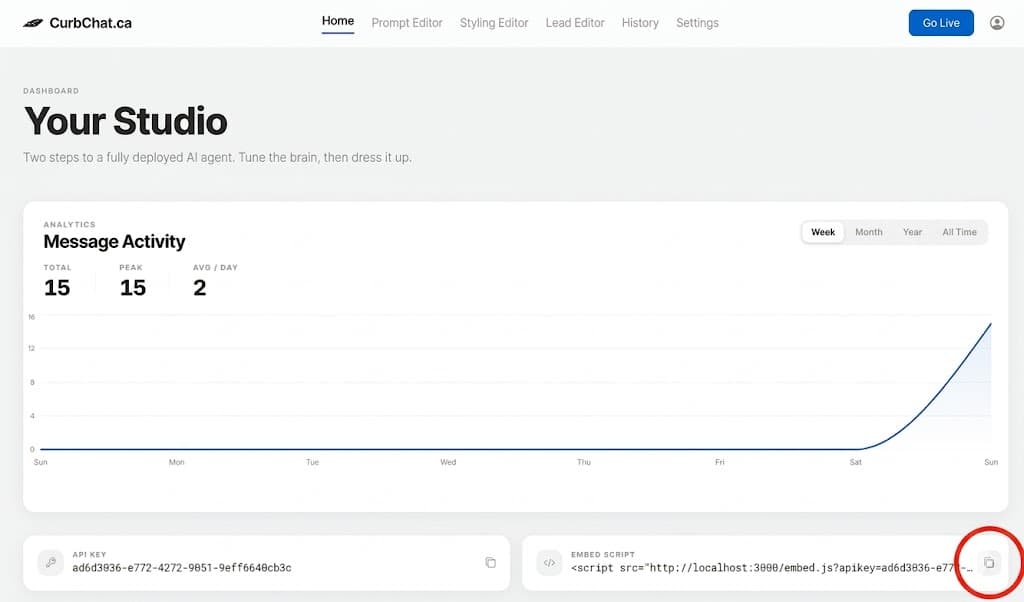
Copy your CurbChat embed script from Dashboard → Home.
Step 2
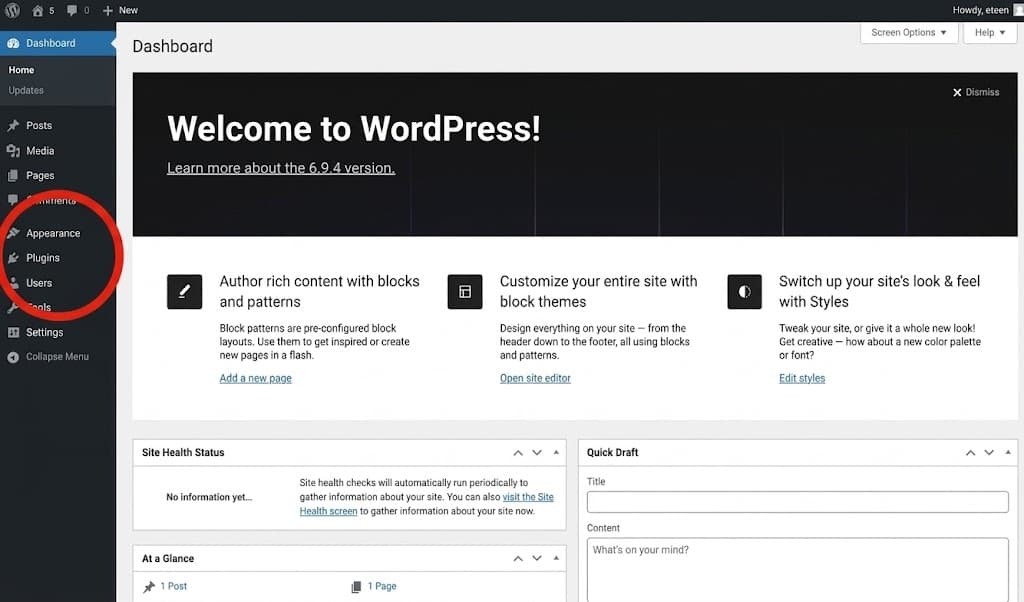
In your WordPress admin page, navigate to the plugins section
Step 3
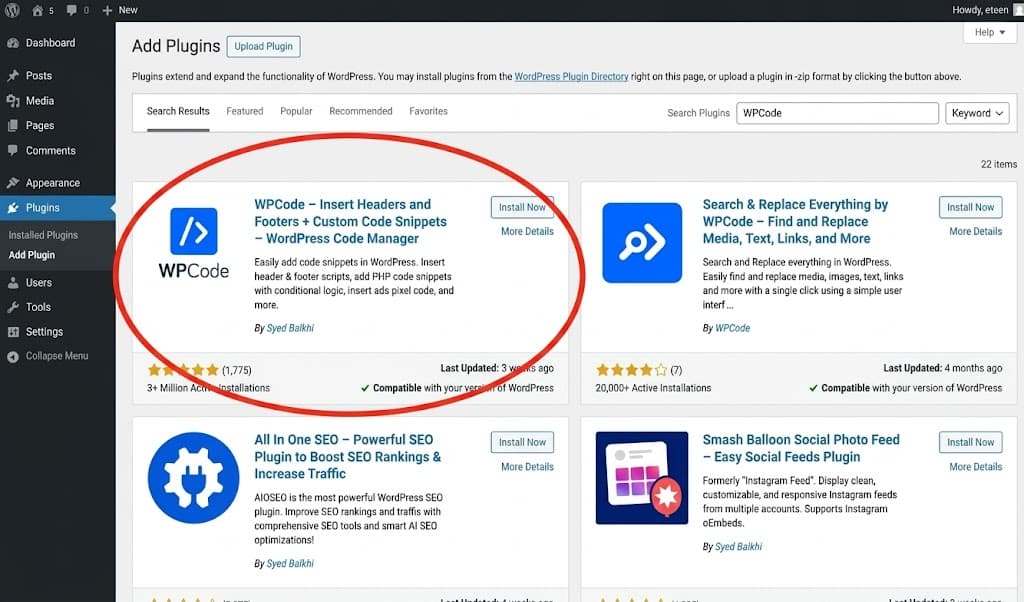
Press add plugins, and search up WPcode. Click install now, then under plugins, click installed plugins.
Step 4
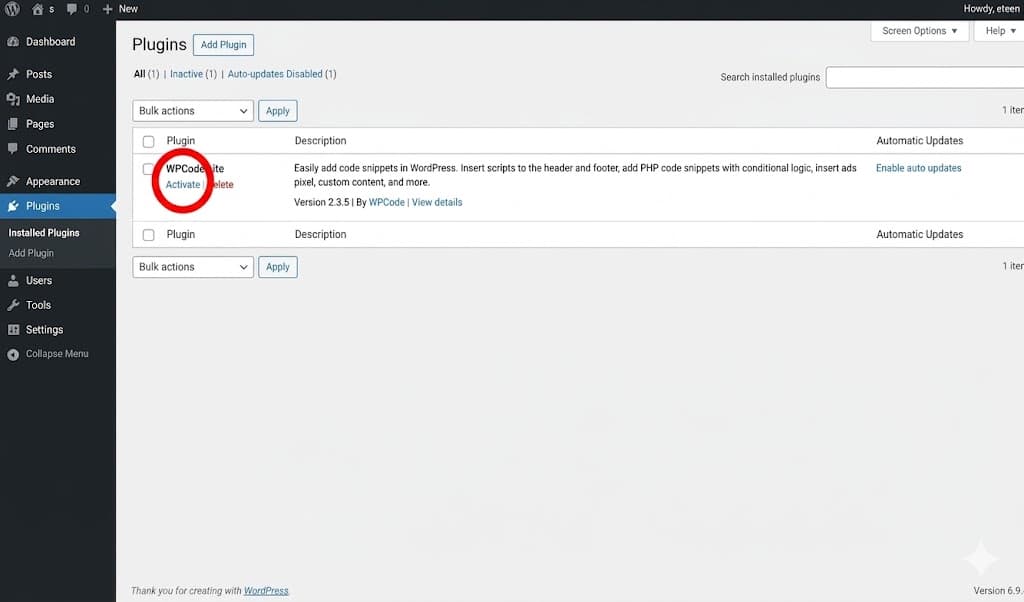
Click activate, then press on code snippets.
Step 5
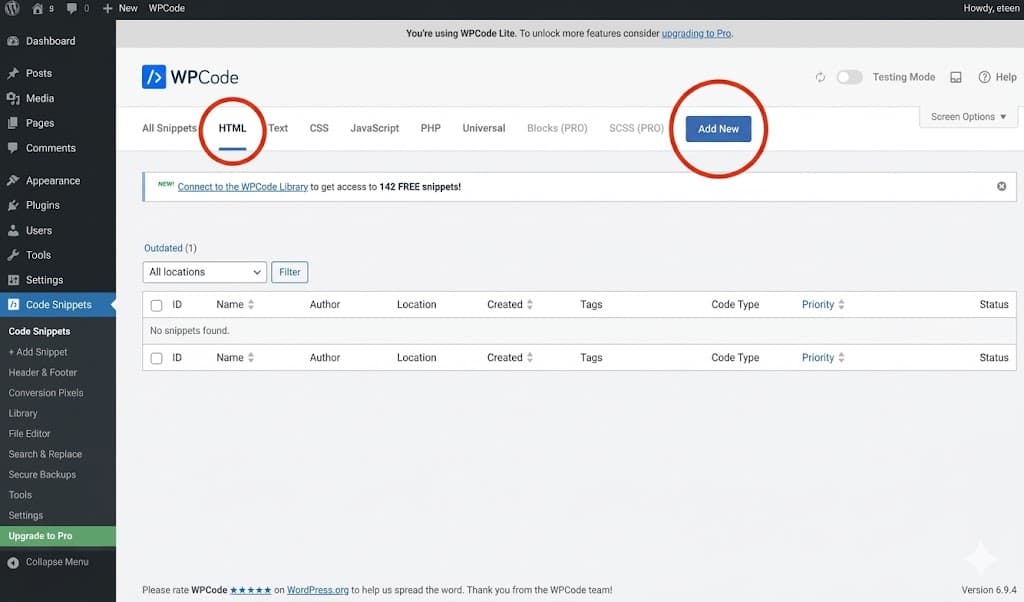
Then navigate to HTML, and click on add new.
Step 6
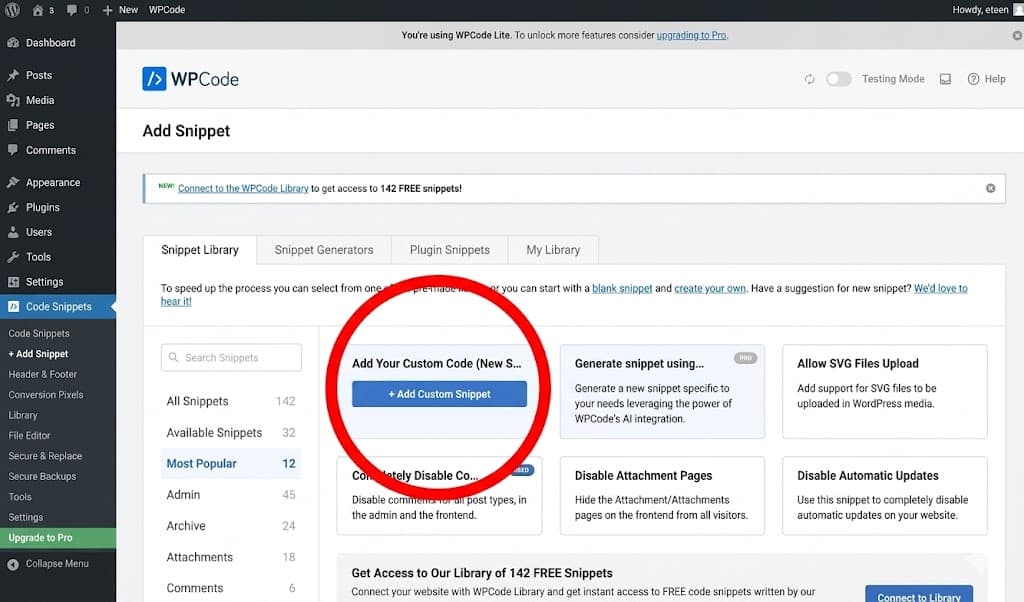
Click on HTML snippet add new, then click HTML snippet again
Step 7
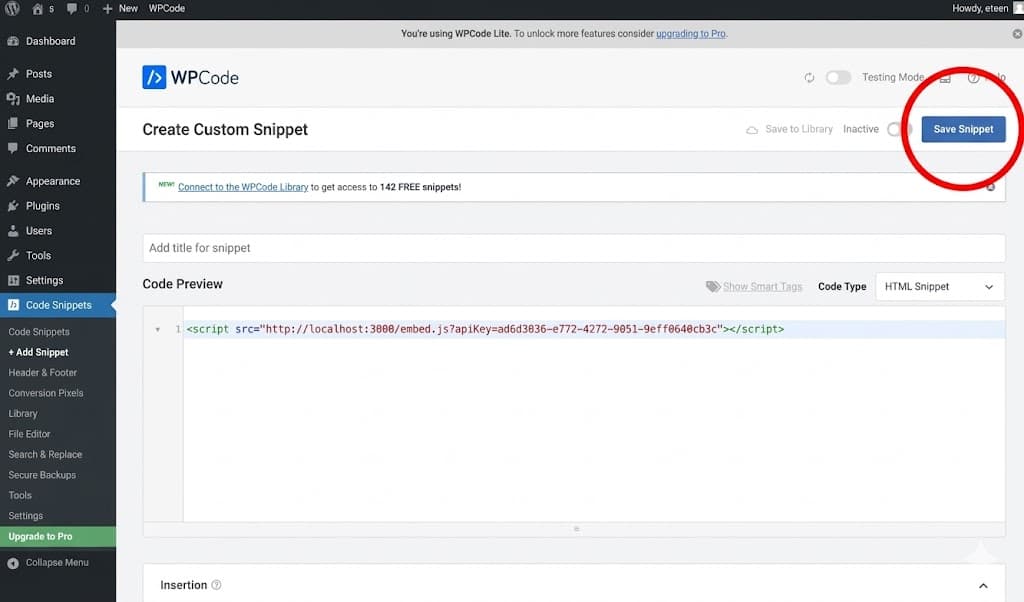
Paste the code snippet below into the editor, and then press save snippet.
Step 8
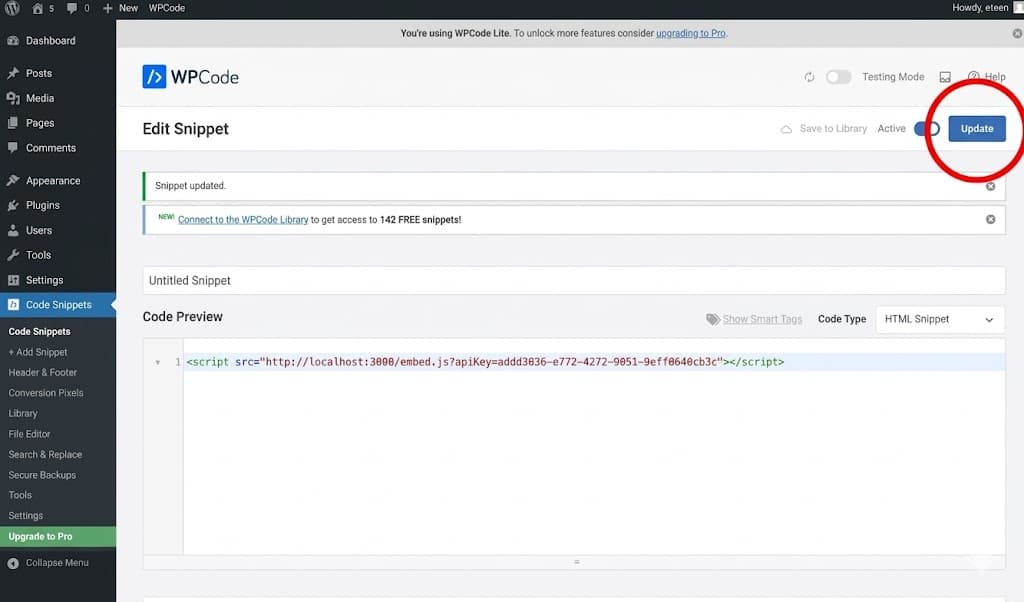
Then toggle inactive to active, and press update. Enjoy!
arrow_backBack to all guidesGuide 2